


Quantum Logbook
4.313.00 Reviews
App Specs
- Version
- 2.3.2
- Updated On
- License
- Free
- Downloads
- 10,000+
- Developer
- GL Logistics
- Categories
- Auto & Vehicles
- Platform
- Android
Screenshots
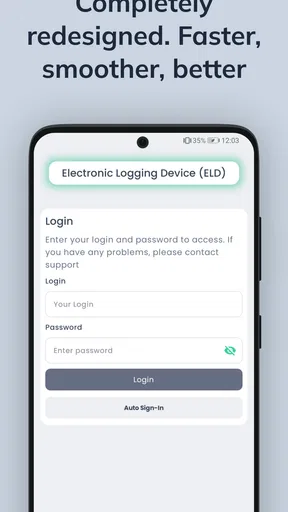
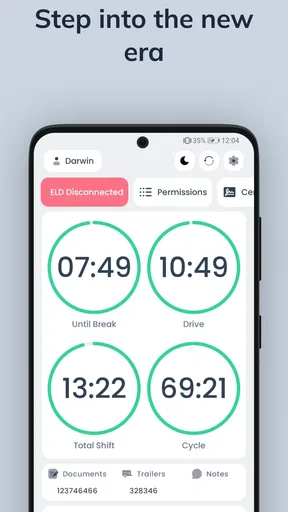
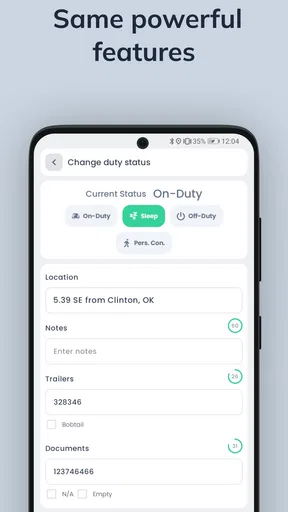
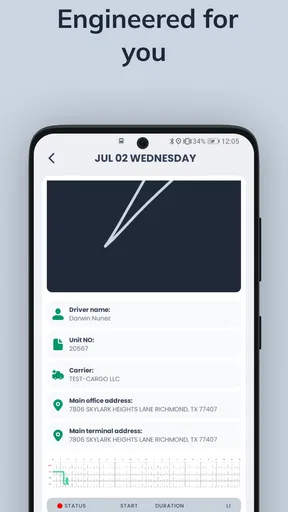
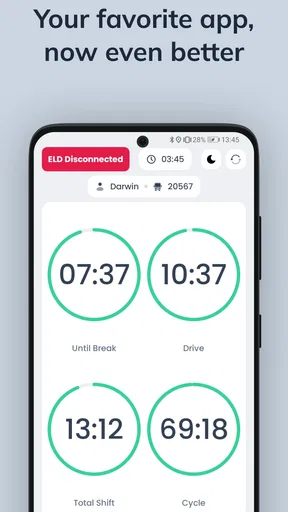
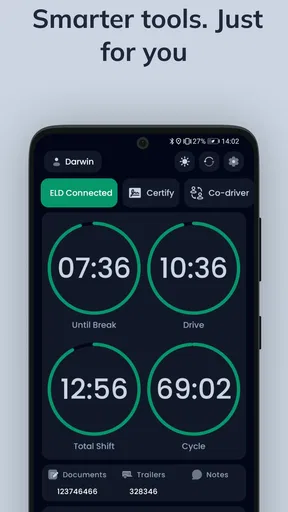
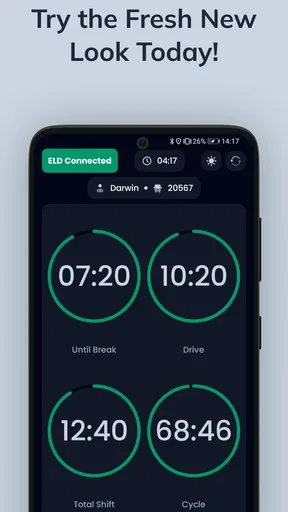
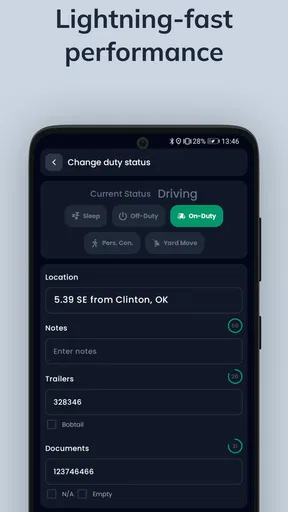
 Analysis by AppCompare
Keeping a truck’s paperwork accurate while driving long routes is one of those jobs that looks simple until a missed duty-status change, an incomplete inspection, or a rushed fuel record creates extra work. Quantum Logbook is an Android app from GL Logistics built around that practical problem. It is a free app in the Auto & Vehicles category, aimed at truckers who need electronic logging, vehicle inspection reporting, fuel-tax records, and hours-of-service support in one place.
I found its appeal easy to understand: instead of treating the phone as a collection of unrelated forms, the app gives a driver a focused logbook workflow. Its store summary identifies it as an FMCSA-certified ELD, while the short description calls it “Quantum Logbook.” That makes the intended audience clear from the beginning: this is not a general mileage tracker for occasional drivers, but a work tool for people whose daily routine depends on compliant records.
What Quantum Logbook is designed to handle
The main value comes from bringing several recurring trucking tasks together. The app covers electronic driver logs, DVIR reporting, IFTA-related records, and HOS compliance. In practical terms, that means a driver can use one specialized tool for recording duty activity, documenting vehicle condition, and organizing information connected with fuel-tax reporting.
I especially like that these functions belong to the same workflow. A driver finishing a shift is already thinking about status, vehicle condition, and the next leg of the trip. Moving between separate paper forms or unrelated apps makes it easier to forget one of those steps. A dedicated logbook app reduces that mental switching, even though it does not remove the need to review entries carefully.
The app is developed by GL Logistics and is available for Android devices running version 8.0 or later. Its current version is 2.3.2, and it is rated for Everyone. Those details make it approachable for a broad range of drivers, including people using an older Android phone rather than a brand-new device.
Its public reception is encouraging without being overwhelming: Quantum Logbook has an average rating of 4.3 from around 89 ratings, with 13 written reviews and over 10K installs. I would read that as a sign of useful real-world interest, not as proof that every fleet or driving situation will fit it perfectly. A compliance app deserves a personal trial with the actual vehicle, carrier process, and daily route before it becomes the only record you rely on.
Free access changes the value calculation
The app is free, so the basic decision is not whether its purchase price beats another paid product. There is no upfront app charge to weigh against the time saved by electronic logs and inspection records. That is a meaningful advantage for an independent driver, a small operator, or someone evaluating a digital logbook before committing to a larger software arrangement.
Worth Reading Before You Choose

EA SPORTS FC Mobile 26 Is a Bigger Football Game, but It Takes Time

Flipboard Shows What News Apps Must Do Beyond the Feed

Switching to Android Auto Means Rethinking Your Driving Routine

Google Calendar Makes a Crowded Week Easier to Manage

Ludo King Makes the Most of the Minutes Between Plans

Baby Panda World Brings Quick Play to Modern Phones, but Its Game Library Feels Busy
At the same time, “free” should be interpreted carefully. The confirmed price is free access to the app; it does not automatically answer questions about hardware, connectivity, fleet administration, support arrangements, or any separate service a carrier may require. I would therefore judge the app’s value by its usefulness in the complete operating setup, rather than assuming that installing it alone solves every ELD obligation.
For a driver who already has a compatible working process, free access can make experimentation low-risk. Install it, learn the screens during a non-critical period, and compare its records with the method you currently use. The important test is not whether the app looks tidy in a quiet parking lot. It is whether you can make accurate entries when you are tired, changing duty status, dealing with a vehicle issue, or preparing for an inspection.
A realistic day with the app
Imagine starting before sunrise, checking the tractor and trailer, and finding a small issue that needs to be recorded. With Quantum Logbook, the useful sequence is to handle the inspection report before the trip becomes busy, then keep the duty-status record aligned with what actually happens. Later, when you stop for fuel, the information relevant to IFTA reporting should be captured while the receipt and location are still fresh in your mind.
That sequence illustrates one of the app’s strongest practical ideas: logging is easier when it follows the rhythm of the work. DVIR belongs near the inspection, HOS entries belong near duty changes, and fuel information belongs near the fuel stop. Waiting until the end of a long shift may feel faster, but it increases the chance of reconstructing details from memory. I would use the app as a prompt to record each event close to when it occurs, not as a notebook to fill in hours later.
Another useful habit is a short end-of-shift review. I would check that the final status makes sense, that any vehicle defect has a clear record, and that fuel entries are not missing key context. This is not glamorous, but it is where an electronic logbook earns its keep. Automation can organize information; it cannot correct a rushed or inaccurate entry that the driver never reviews.
Where it can save time
The time benefit is less about one dramatic feature and more about reducing repeated writing. A single digital workflow can be easier to maintain than paper logs, separate inspection sheets, and scattered fuel notes. Searchable or organized records are also more practical than trying to find a particular paper entry after several days on the road, although the exact handling of records will depend on how the driver and carrier use the app.
For an owner-operator, this concentration may be particularly useful. One person often has to drive, inspect, document, and keep track of tax-related information. The app does not replace professional knowledge of HOS rules or IFTA requirements, but it can provide a consistent place to perform those tasks.
For a small fleet, the value depends more heavily on coordination. A driver may appreciate having a simple mobile logbook, while an administrator may need a broader system for oversight and record management. I would not choose Quantum Logbook solely because it is free; I would first confirm that its workflow fits the company’s reporting expectations and that every required person can access the information they need.
Trade-offs that matter in daily use
The first trade-off is responsibility. An app may help organize compliant records, but it does not make a driver compliant by itself. HOS rules involve judgment, exceptions, and accurate interpretation. If a driver selects the wrong status or overlooks a correction, a polished interface cannot turn that entry into a correct one.
The second trade-off is dependence on a phone-centered workflow. A phone is convenient, familiar, and usually close at hand, but it is also a device that can be dropped, silenced, shared, or left with a low battery. I would treat the app as part of a prepared operating routine: keep the device usable, make entries before details fade, and know what procedure the carrier expects if the phone is unavailable.
The third trade-off is learning time. Even a straightforward logbook requires practice. Drivers who are moving from paper may initially spend longer checking fields and understanding how DVIR, HOS, and fuel records fit together. That short-term friction is worthwhile only if the workflow becomes more reliable afterward. I would learn it on familiar routes before depending on it during a complicated trip.
There is also a difference between having several functions and having every fleet-level feature a company might want. Quantum Logbook’s stated focus is clear, but I would not assume it replaces dispatch software, payroll tools, maintenance management, or a carrier’s complete compliance platform. It is best assessed as a specialized logbook and documentation tool, not as an all-purpose transportation management system.
How it compares with paper and broader alternatives
Compared with paper logs, the app’s advantage is organization. Digital entries are easier to keep in one place, and a phone-based workflow can be less cumbersome than carrying forms and writing during every stop. Paper still has one obvious strength: it is independent of an app interface and can serve as a fallback when technology is inconvenient. For that reason, I would not discard every backup habit simply because electronic logging is easier most of the time.
Compared with a general mileage or expense app, Quantum Logbook is more relevant to professional truck work because its feature set is centered on ELD use, DVIR, IFTA, and HOS. A basic mileage tracker may be fine for a salesperson or private vehicle owner, but it is not designed around the documentation pressure of a commercial driver. The specialized focus is the reason to consider this app.
Compared with a full paid fleet platform, the free price is attractive, especially for someone who does not need a large administrative dashboard. A larger commercial system may be a better choice when dispatch coordination, centralized monitoring, advanced reporting, or established carrier integrations are more important than keeping the driver’s personal workflow simple. The right comparison is therefore not “free versus expensive,” but “focused driver logbook versus complete fleet infrastructure.”
Who will get the most value
I see the strongest fit for independent truckers and small operators who want a dedicated Android logbook without adding an upfront app cost. It also makes sense for a driver who is tired of keeping HOS notes, inspection documentation, and fuel information in separate places. The app’s broad Everyone rating and Android 8.0 minimum make it accessible to many users, though the real suitability still depends on the phone and operating routine.
It can also be useful for a driver who wants to improve consistency rather than merely replace paper. The best results will come from treating each stop as a documentation checkpoint: inspect and record, update status when it changes, capture fuel information immediately, and review the day before signing off. That workflow turns the app from a passive storage box into an active checklist for professional habits.
I would be more cautious for a large carrier that already has a mandatory ELD ecosystem. In that situation, a separate app may create duplicate work or conflicting records unless the company explicitly approves it. I would also hesitate to recommend it as the sole solution to someone who expects a complete back-office platform, because the app’s clearly stated strengths are driver logs and related compliance records rather than every possible fleet function.
It is not the right choice for casual motorists, people looking only for personal trip mileage, or drivers unwilling to review their own entries. The trucking-specific functions would be unnecessary overhead for those users. Likewise, anyone choosing an ELD should verify operational compatibility with their carrier and vehicle setup instead of selecting an app based only on a free price and a good average rating.
Small habits that make the app more useful
My first tip is to create a repeatable order for every workday. Start with the vehicle inspection, continue with accurate status changes, record fuel information at the stop, and finish with a log review. Repeating the same order lowers the chance that a busy delivery or unexpected delay pushes documentation aside.
My second tip is to separate “recording” from “correcting.” Enter the event while it is fresh, then review the complete day when parked. Trying to remember every detail at the end is risky, but changing entries impulsively while driving is worse. The safest routine is to make updates only when stopped and give yourself a deliberate review window.
My third tip is to use the DVIR function as a maintenance communication habit, not just a compliance box. A defect that is described vaguely may be harder for the next person to understand. I would write the report while the condition is visible and use consistent wording, so the record is useful beyond the moment it is submitted.
For IFTA-related information, I would keep the fuel receipt until the digital entry has been checked. This creates a simple cross-check against the amount, location, and vehicle details you recorded. The app can centralize the information, but the receipt remains a practical reference during your own review process.
My final decision on value
Quantum Logbook delivers a sensible package for its price: free access to an Android tool focused on electronic logs, inspections, fuel-tax records, and HOS compliance. I like that it targets a real professional need instead of trying to be a generic driving companion. The average rating of 4.3 and more than 10K installs suggest that it has attracted meaningful use, while the smaller review base means I would still test it personally before making it central to a company-wide process.
The best reason to choose it is the combination of focused trucking functions and no upfront app price. That combination gives an owner-operator a practical way to evaluate a digital workflow without first buying into a larger platform. Its value is strongest when the driver is disciplined about timely entries and when the carrier’s requirements match the way the app is used.
My recommendation is to try Quantum Logbook if you are an Android trucker looking for a dedicated logbook and related compliance workflow, especially if paper records feel scattered or inefficient. Give yourself time to learn it, test it on ordinary trips, and confirm that it fits your operating requirements. I would skip it in favor of an established fleet solution when centralized administration or carrier-specific integration matters more than free, focused access.
Overall, I see it as a practical starting point rather than a magic compliance button. It can make the daily record-keeping routine clearer and more organized, but the driver remains responsible for accurate decisions, timely updates, and careful review. For the right user, that is enough to make Quantum Logbook worth installing; for a complex fleet, it may be better viewed as a driver-facing option to evaluate rather than an automatic replacement for the entire compliance stack.
Pros
- Quickly records quantum experiments
- observations
- and research notes.
- Organizes entries in a structured format for easier reference.
- Useful for students
- hobbyists
- and researchers exploring quantum topics.
- Keeps related measurements and comments together in one digital log.
- Reduces reliance on scattered paper notes during experiments.
Cons
- May feel too specialized for users without a quantum physics background.
- Advanced analysis and visualization tools may be limited.
- Manual data entry can become time-consuming for large experiments.
- Some features may require an internet connection or account access.
- The interface may seem basic compared with full laboratory software.
FAQs for Quantum Logbook
What is Quantum Logbook and what can I use it for?
Quantum Logbook is designed as a digital record-keeping tool for organizing notes, observations, experiments, tasks, or other structured information in one place. Its usefulness depends on the features available in the current version, but it may appeal to students, researchers, technical users, and anyone who prefers a more organized alternative to ordinary notes. Before downloading, check the app description to confirm that its tools match your specific workflow.
Is Quantum Logbook suitable for beginners?
The app can be useful for beginners if you are comfortable learning a new interface and setting up your own entries or categories. Logbook-style applications often require a little initial organization, so the experience may not feel as immediate as a basic notes app. I recommend exploring the navigation, entry creation process, and available help information first, especially if you need a simple solution with no learning curve.
Does Quantum Logbook work offline, and how is my information stored?
Offline access and storage behavior are important points to verify before installing Quantum Logbook. Some logbook apps keep records locally on the device, while others depend on an account, cloud synchronization, or an internet connection for certain functions. Review the app’s current privacy policy and store listing to understand where your data is saved, whether backups are available, and what happens if you change or lose your device.
Is Quantum Logbook free to download, or does it include purchases?
The download price and available features can vary between the Android and iOS versions, as well as across app updates. Quantum Logbook may be free, paid, or offer optional in-app purchases depending on the edition published in your region. Before proceeding, check the official store page for subscription details, premium tools, advertisements, trial conditions, and any limitations placed on the free version.
What should I check before downloading Quantum Logbook?
Before downloading Quantum Logbook, confirm that your device meets the required operating-system version and that you have enough available storage. It is also worth checking recent user reviews, update history, permissions, privacy information, and whether the app supports the format or workflow you need. If your records are important, look specifically for export, backup, synchronization, and recovery options before relying on it.


